Internal tools and dashboards
Dashboards and admin tools for managing data, workflows, users, and operations in one place.
- Engagement
- Estimated after discovery
- Timeline
- Phased after discovery
The Approach
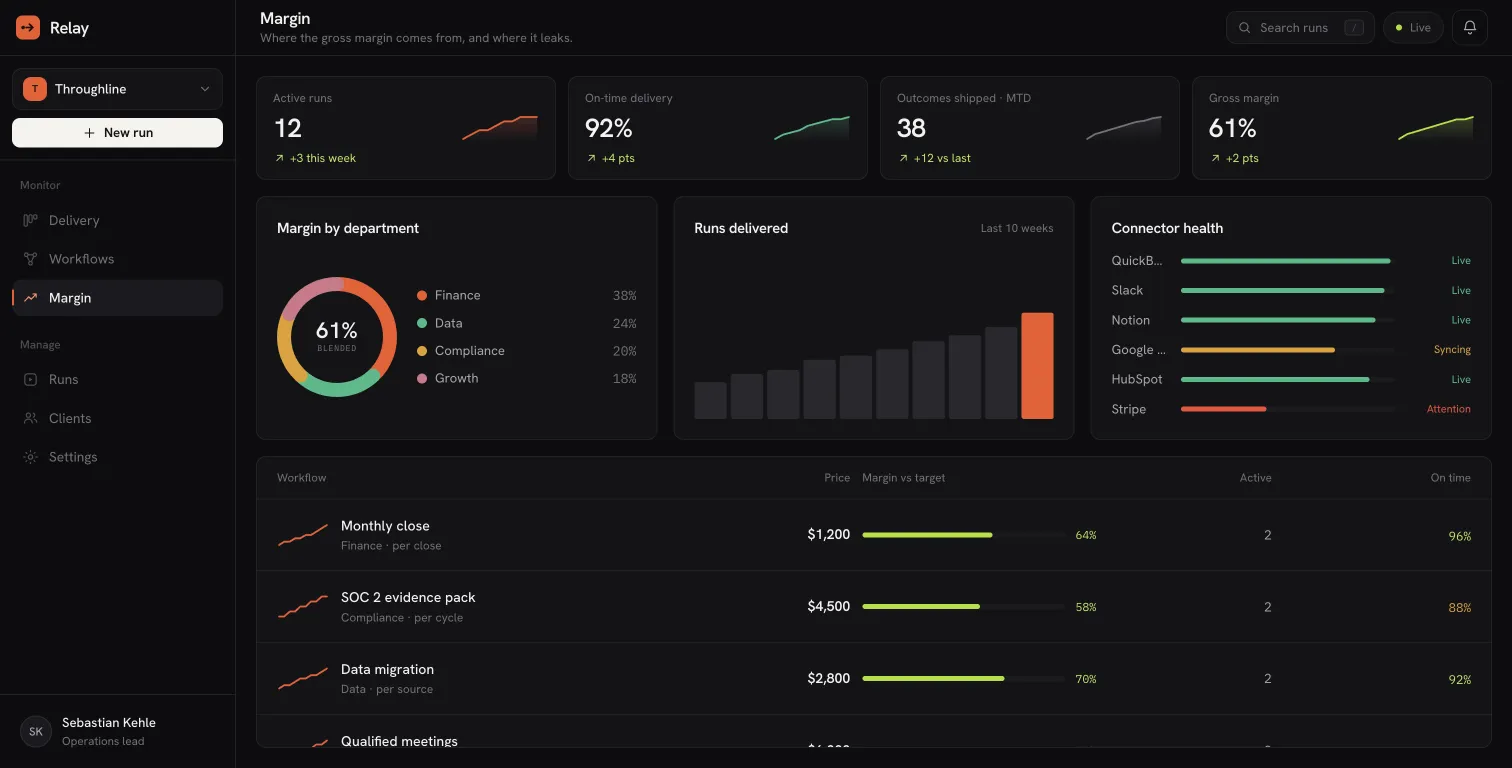
The work starts by mapping the operational workflow, the people involved, the decisions they make, and the systems that already hold the data. From there, the interface, backend logic, permissions, and integration layer are designed as one product.
The Outcome
Your team gets a practical operations system that replaces spreadsheets, scattered admin screens, and manual handoffs with one reliable application.
Role-based admin dashboards for teams, managers, and operators
Operational data moves out of spreadsheets into one place your team trusts
Editable data tables with filtering, search, bulk actions, and audit-friendly changes
Every task and record has an owner and a next step visible to everyone
Internal CRM views for leads, customers, members, partners, or suppliers
Reports come from the system itself, with the copy-paste step gone
Build focus
- 01
Role-based admin dashboards for teams, managers, and operators.
- 02
Editable data tables with filtering, search, bulk actions, and audit-friendly changes.
- 03
Internal CRM views for leads, customers, members, partners, or suppliers.
- 04
Reporting dashboards that combine operational data into useful decisions.
- 05
Workflow status views for approvals, assignments, queues, and handoffs.
- 06
Integrations with forms, CRMs, databases, email, analytics, and existing tools.
Included
Login, permissions, and team roles.
Dashboard overview with the metrics that matter.
CRUD interfaces for operational data.
Search, filters, sorting, exports, and activity history.
Notifications, assignment flows, and approval steps.
Deployment, monitoring, and post-launch improvement support.
Frequently Asked Questions
Yes. Spreadsheet-driven operations can become a custom application with roles, validation, workflows, reporting, and integrations while preserving the useful parts of your current process.
Usually yes. Common integrations include CRMs, forms, email platforms, analytics tools, databases, payment systems, and internal APIs. Integration effort is planned before the build starts.
Yes. The same engineer works on workflow understanding, UX structure, backend logic, and deployment, so the interface is designed around real operational decisions.
Start your project
Describe the workflow, users, tools, and constraints. webvise turns that into a clear build plan with timeline and budget before implementation starts.
Start a Project